Precise Simulation is proud to announce the release of FEATool Multiphysics™ version 1.18, a step forward in the state-of-the-art in Finite Element Analysis (FEA) and Computational Fluid Dynamics (CFD) multi-solver simulation software.
The latest release introduces a completely redesigned Graphical User Interface (GUI) making the toolbox more user friendly and easy-to-use than ever before. FEATool Multiphysics also features full support and integration with MATLAB and related toolboxes (such as for Optimization, Control Systems, and Machine Learning), and advanced features tailored for the evolving needs of engineers and researchers in industry and academia.

New Standard for FEA, CFD & CAE Simulation Workflows
One of the stand-out features of the FEATool toolbox is the Multiphysics Application Programming Interface (API), with one-click export functionality and automatic conversion of simulation models to MATLAB and Python script models. This enables users to quickly define and set up simulation models in a fully integrated and easy-to-use GUI, and later export, modify, and programmatically run them automatically for large scale parametric studies, and data generation and collection for Physics-Informed Neural Network (PINN), Machine Learning (ML) and artificial intelligence (AI) type simulation models.
An example of using FEATool Multiphysics to derive reference data as well as validation for machine learning CFD models can be found in several works on Deep Learning (DL) CFD methodology for flow prediction using with AI and machine learning by Prof. Thi-Thu-Huong Le and coworkers at the at the Blockchain Platform Research Center of the Pusan National University (PNU) in Korea.

The easy-to-use GUI, and integration with the MATLAB programming and scripting API allowed for precise manipulation and analysis of simulation data, and to automate and streamline the process of formatting and preparing data for input to the deep learning models.
Another example, here by Guodong Sa and coworkers, developed a Digital Twin (DT) framework for visualization and design of smart kitchens to facilitate improved kitchen and usability design. In the highlighted work, FEATool Multiphysics was used as a platform for programming and controlling simulation mesh and state-of-the-art CFD flow solvers such as OpenFOAM, and to script, automate, and programmatically generate thousands of sets of simulation data for training the digital twin framework.

And in the medical field, Prof. Zhang H. and coworkers have recently made use of FEATool Multiphysics to develop a method of denoising and improving vascular blood flow imaging for medical diagnosis using a Physics-Informed Neural Network (PINN). The data to train the PINN on was automatically generated by simulating the Navier-Stokes equations for different flow conditions and geometries. See their preprint on Fluid Dynamics and Domain Reconstruction from Noisy Flow Images Using Physics-Informed Neural Networks and Quasi-Conformal Mapping for more information.
More links to research and examples using the toolbox can be found on the FEATool Multiphysics references web page.
New Easy-to-Use Graphical User Interface (GUI)
A major new feature in FEATool Multiphysics 1.18 is a new and more efficient Graphical User Interface (GUI) frontend framework which allows for a better and more consistent user experience irrespective of operating system, platform, or MATLAB version they are using.
The new GUI framework has been designed and developed to completely replace the web and Javascript based user interface introduced in MATLAB 2025a. The new GUI offer significantly better performance and consistency in contrast to a Web UI (on average 10 times more responsive for many tasks). Key user interface enhancements include:
Intelligent Input Validation: Real-time pre-validation of numerical inputs and mathematical expressions makes it easier for users to catch syntax errors and typos.
Streamlined Domain Selection: New grouping tools now allow users to easy select and assign properties to subdomains and boundaries with a single click.
Universal Consistency: A unified and seamless user experience across all supported platforms (Windows and Linux) as stand-alone Desktop App, and as MATLAB toolbox (with Windows, Linux, and macOS support for legacy MATLAB versions 2009b up to the current version, 2026a).
CFD & FEA Simulation Modeling Tutorials
A new example and step-by-step model tutorial for heat transfer simulation and cooling efficiency analysis of a battery pack, such as found in automotive and (Li-Ion) energy storage applications, is also available now. In this simulation is it assumed that one of the prismatic battery cells have failed, and is generating significantly more heat than normal.
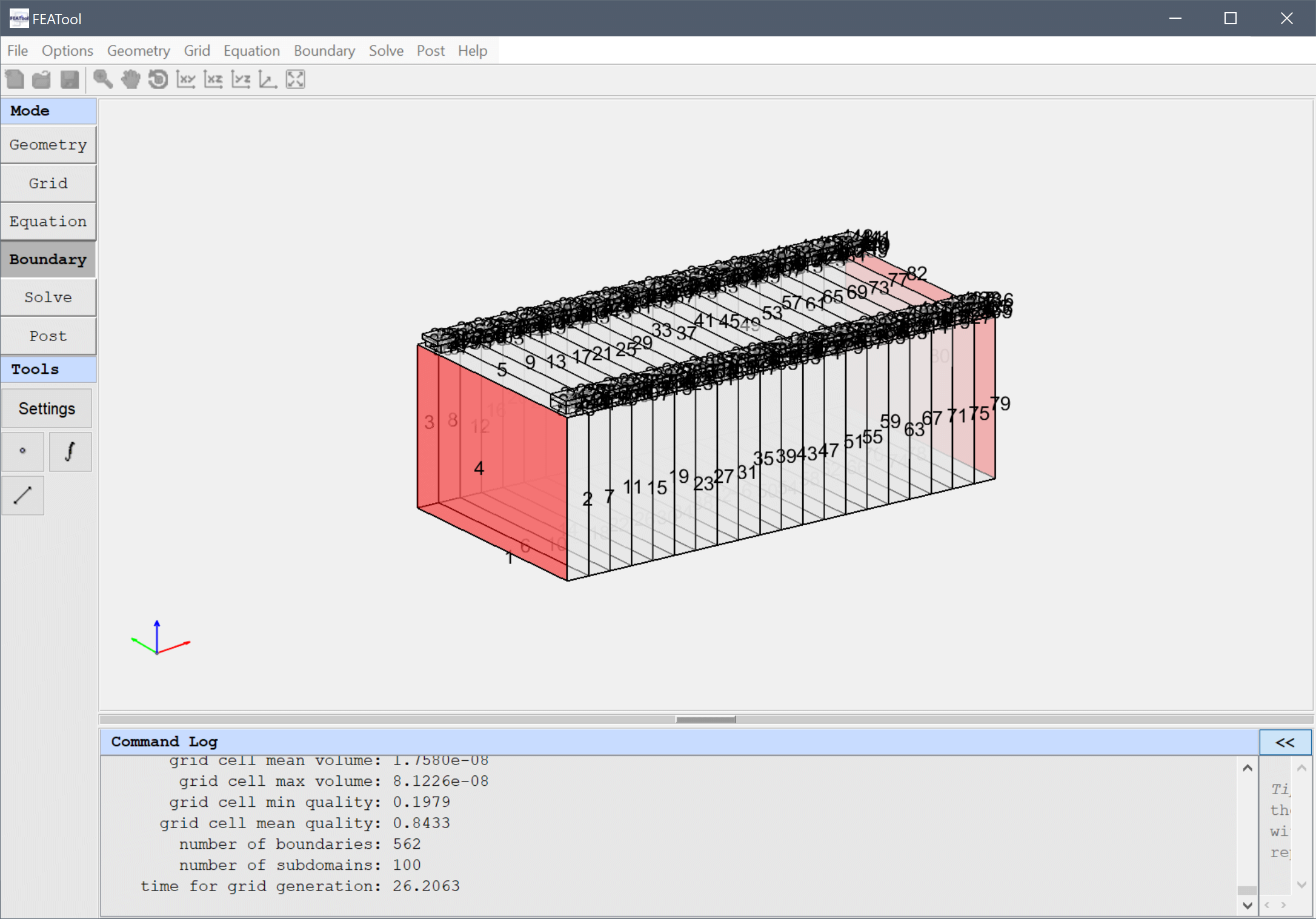
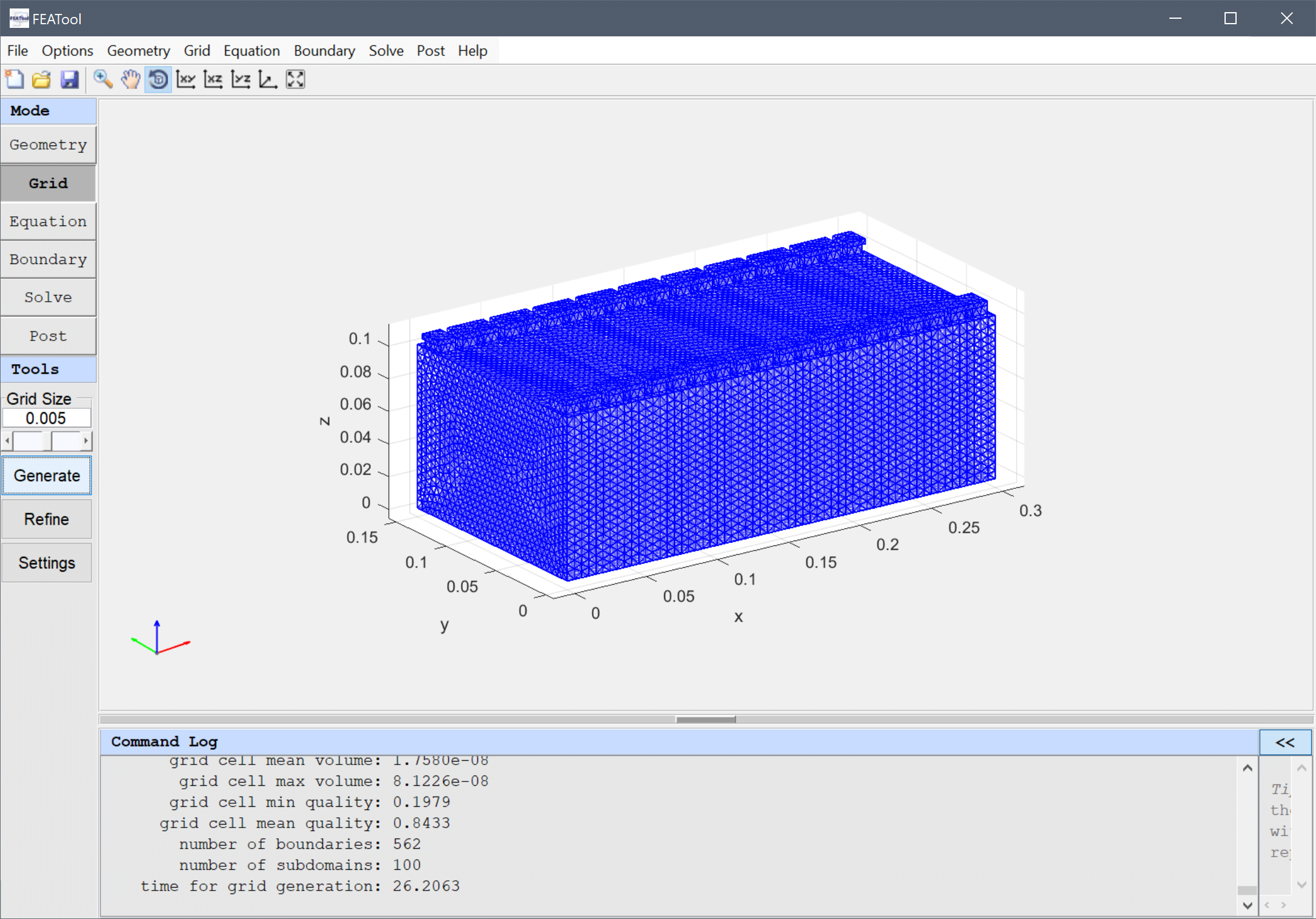
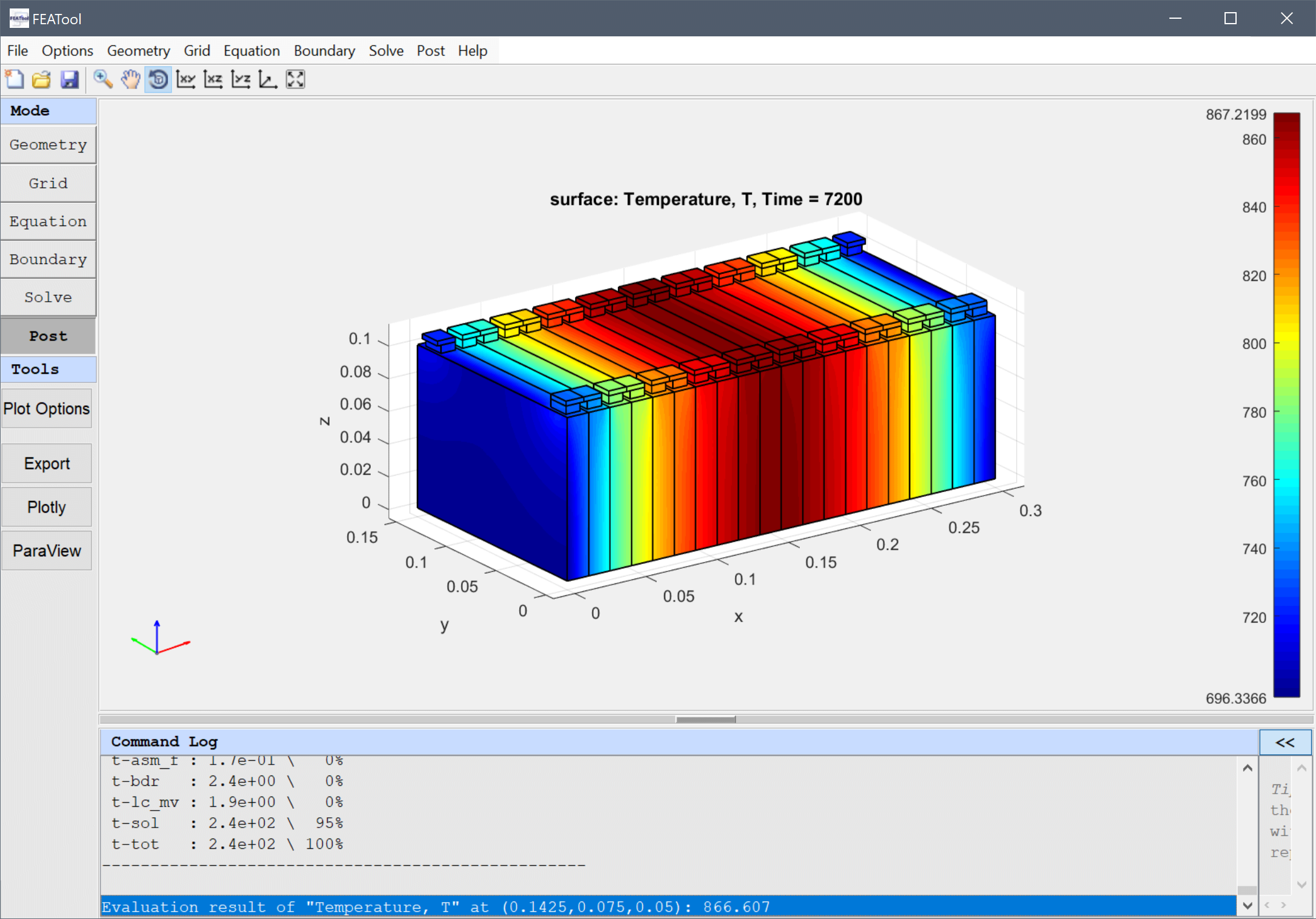
Two different cases are studied, one where the pack is perfectly insulated, except for the front and back faces which are cooled through natural convection with the surrounding air. And also a second case study with increased cooling at the bottom of the battery pack. Moreover, the tutorial illustrates how to simplify and model heat transfer between the battery cell walls (by directly modifying the heat equation partial differential equation (PDE) directly and introducing an anisotropic thermal conductivity).
General Toolbox Improvements
In addition, the toolbox has also been updated with many minor fixes and improvements, such as:
- Mesh generation improvements for 3rd party mesh generators (Gmsh, Triangle)
- Update OpenCASCADE geometry engine to v7.9.3 (Windows + Linux)
- OpenFOAM solver stability improvements and fixes for dictionaries (chtMultiRegionFoam)
- Update SU2 Code CFD solver to v8.0.1 “Harrier”

Availability and Download
The physics simulation toolboxes FEATool Multiphysics™ 1.18
and CFDTool™ 1.11 are available right now both as stand-alone
desktop apps, and also as MATLAB toolbox
Add-Ons, with fully interactive GUI and cross-platform support for the
Microsoft Windows, Linux, and MacOS operating
systems. The toolboxes can be downloaded directly from
www.featool.com/download (or installed directly with one-click from
the MATLAB Add-Ons Toolbar).
If you use FEATool Multiphysics and find it useful in your work or studies please do share your models, modeling experience, and consider recommending the toolboxes to your colleagues and coworkers.
About Precise Simulation
Precise Simulation Limited, founded in 2012, is a boutique software development studio dedicated to developing easy-to-use and state-of-the-art simulation software tools for product design, virtual prototyping, and research in both industry and academia.
The FEATool Multiphysics™ and CFDTool™ toolboxes are fully integrated simulation software platforms for creating virtual 3D models and simulation applications based on physical phenomena. A unique feature is the ability to account for coupled physics phenomena, and seamlessly integrate with many types of multi-physics solvers such as OpenFOAM, FEniCS, SU2 Code, and more.
FEATool Multiphysics is a complete simulation platform for fluid flow, heat transfer, structural, electromagnetics acoustics, and chemical engineering applications. Built-in interfaces and APIs enable the integration of FEATool with MATLAB, physics solvers, Computer Aided Design (CAD), and Computer Aided Engineering (CAE) tools. Simulation experts rely on FEATool Multiphysics to design and develop physics based models and deliver accurate and speedy results to their teams, manufacturing departments, test laboratories, and users worldwide.